
Your Cart
Your shopping cart is currently empty.
TV, Audio & Electronics
From movies and music to streaming and gaming, let's talk TV, tech and home entertainment!
TV, AUDIO & ELECTRONICS | 5 JUNE, 2026
18 MIN READ
How to Find the Best Gaming TV For Your Setup
Next Gen consoles need next Gen TVs - let's up your game!
When it comes to levelling up your gaming experience, your choice of TV can make or break it. But here's the thing - any TV can be used for gaming. The real question is: do you want just any TV, or one that’s actually built to keep up with fast-paced action, unreal visuals, and virtually no lag?
That’s where Gaming TVs come in. While you can plug your console into almost any modern screen, Gaming TVs are tuned with features specifically designed to make your games look smoother, play faster, and feel more immersive. We’re talking high refresh rates, low input lag, support for Variable Refresh Rate (VRR), and HDMI 2.1 compatibility - all the good stuff that makes a difference when you’re mid-match or deep into the lore of a really really good RPG.
At Appliances Online, our Gaming TV range includes options from leading brands like LG, Hisense, TCL and Sony, with screen sizes suited to everything from bedroom gaming setups to massive lounge room displays. You’ll find OLED TVs for deep contrast, QLED and Mini LED TVs for bright rooms, and high-refresh-rate models designed for serious console and PC gaming.
To help you narrow down the best Gaming TV for you, let’s walk through a few common gaming setups - because the right choice isn’t just about specs, it’s about how and where you play.
Do you want just any TV, or one that’s actually built to keep up with fast-paced action, unreal visuals and virtually no lag?

🕹️ You’re a Casual Gamer Who Dabbles on Weekends
What you need: A reliable 4K Smart TV that handles gaming well, but still works brilliantly for day-to-day streaming, sport and movie nights.
You don’t necessarily need the most extreme gaming specs on the market if you’re mostly jumping into a few rounds after work or getting in a few hours of gaming a week. What matters most is a TV that feels responsive, looks sharp and doesn’t make you fiddle with settings every time you switch from Netflix to your console.
You game when you can - and when you do, it’s more about fun, less about frames.
Look for:
4K resolution with HDR support for sharper detail and more realistic colour
60Hz to 120Hz refresh rate for smooth everyday gaming
Game Mode to help reduce input lag
Smart TV apps so it works just as well for streaming after you finish playing
QLED, Mini LED or OLED picture technology if you want a richer visual experience
Great picks: Look for value-packed QLED, Mini LED or entry-level gaming-ready Smart TVs from brands like TCL, Hisense and LG. These types of TVs are ideal if you want games to look great without overbuying for features you may not use every day.
You game when you can - and when you do, it’s more about fun than chasing every last frame.

🎮 You’ve Got a PS5 or Xbox Series X and Want to Max It Out
What you need: A next-gen ready TV that can take full advantage of your console’s performance.
If you’ve invested in a PlayStation 5 or Xbox Series X, it makes sense to pair it with a TV that can actually keep up. These consoles are built for high-quality 4K gaming, fast frame rates and responsive gameplay, but you’ll only get the best experience if your TV supports the right features.
You didn’t just buy a next-gen console to play on last-gen gear - you want to see how far the rabbit hole goes - take the red pill.
Look for:
HDMI 2.1 for 4K at 120Hz gaming
120Hz refresh rate or higher for smoother motion
VRR to help reduce screen tearing and stutter
ALLM so the TV automatically switches into a low-lag gaming mode
Low input lag so your controller inputs feel instant
HDR support, such as Dolby Vision or HDR10+, for stronger contrast and brighter highlights
Great picks: Look for Gaming TVs with native 120Hz panels, HDMI 2.1, VRR and strong HDR performance. LG QNED and OLED models, Hisense ULED Mini LED TVs, TCL QD-Mini LED TVs and Sony BRAVIA gaming-ready models are all examples of ranges that can suit next-gen console players, depending on your budget and preferred screen size.
Best Selling Gaming TVs
![Sony 55 Inch BRAVIA 8M2 4K HDR OLED TV K55XR80M2 [2025] hero image](/ak/6/a/2/f/6a2f7928045396aec45f5b56b66c63be0ca14242_K55XR80M2_01-widget.png)

![Sony 65 Inch BRAVIA 8M2 4K HDR OLED TV K65XR80M2 [2025] hero image](/ak/d/6/4/f/d64f06e1669ee8d5c134395543426209189e8046_K65XR80M2_01-widget.png)
![Sony 55 Inch BRAVIA 5 4K HDR Mini LED TV K55XR50 [2025] hero image](/ak/0/3/6/e/036e2f1d192cfcdc925d074cd054951d9e003248_K55XR50_01-widget.png)
![Sony 65 Inch BRAVIA 5 4K HDR Mini LED TV K65XR50 [2025] hero image](/ak/5/e/7/6/5e7619d198f93e1ed8e00dd2faafec2e07ee1c8d_K65XR50_01-widget.png)
![Sony 85 Inch BRAVIA 5 4K HDR Mini LED TV K85XR50 [2025] hero image](/ak/9/3/0/2/93028cf6fd4f7b1ae136fc3d5922f750290844d5_K85XR50_01-widget.png)
![Sony 98 Inch BRAVIA 5 4K HDR Mini LED TV K98XR50 [2025] hero image](/ak/d/0/e/0/d0e03375fe1325371b4bf091b67c173d9778fd90_K98XR50_01-widget.png)
![Hisense 65 Inch ULED MiniLED U7S 4K 165Hz Smart AI TV 65U7SAU [2026] hero image](/ak/8/f/c/d/8fcd3d5f3d010876807f280e96410221664ed5e0_65U7SAU_01-widget.png)
![Hisense 55 Inch ULED MiniLED U7S 4K 165Hz Smart AI TV 55U7SAU [2026] hero image](/ak/9/6/c/1/96c14c0e4948dedc900dbf74c84d5c901bca9b7b_55U7SAU_01-widget.png)
![Hisense 75 Inch ULED MiniLED U7S 4K 165Hz Smart AI TV 75U7SAU [2026] hero image](/ak/c/7/2/2/c722dd79df64498e3cad364e02fcd63dc42c40db_75U7SAU_01-widget.png)
![Hisense 85 Inch ULED MiniLED U7S 4K 165Hz Smart AI TV 85U7SAU [2026] hero image](/ak/2/9/b/9/29b9511b6c9cfc73403e9d7b9f83f47945f5a90a_85U7SAU_01-widget.png)
![LG 65 Inch QNED86B EVO AI Mini LED 4K Smart TV 65QNED86BSA [2026] hero image](/ak/5/9/b/d/59bd07c516c7a7c4eb3483ca6fbd6c48258cab9e_QNED86_65__FRONT-widget.png)
![LG 75 Inch QNED86B EVO AI Mini LED 4K Smart TV 75QNED86BSA [2026] hero image](/ak/a/9/9/c/a99c93a3ce23917fec4110ec913d409adcec8447_QNED86_75__FRONT-widget.png)
![LG 55 Inch QNED86B EVO AI Mini LED 4K Smart TV 55QNED86BSA [2026] hero image](/ak/5/e/4/8/5e48433aaf4d7b3a5d5120cc9503a0b05e1cd256_QNED86_55__FRONT-widget.png)
![LG 55 Inch OLED AI B6 4K Smart TV OLED55B6PSA [2026] hero image](/ak/a/e/a/a/aeaa86f2f7553461a9bbf4f55a2d440b0e2cea91_B6_55__FRONT-widget.png)
![LG 48 Inch OLED AI B6 4K Smart TV OLED48B6PSA [2026] hero image](/ak/0/1/5/9/0159a55db2c418506dabe609dcd8a565514d735f_B6_48__FRONT-widget.png)
![LG 65 Inch OLED AI B6 4K Smart TV OLED65B6PSA [2026] hero image](/ak/8/2/9/0/82908c5fb99d88109f3f197639a36027f53fa64b_B6_65__FRONT-widget.png)
![TCL 50 Inch C7K 4K Premium QD-Mini LED Google TV 50C7K [2025] hero image](/ak/3/2/3/6/3236f57592ebf8537a3cdc79c28bcb6b7f3cbda1_50C7K_Inscreen_Image_01-widget.png)
![Hisense 65 Inch Canvas S7NAU 4K QLED Smart TV 65S7NAU [2024] hero image](/ak/1/f/f/b/1ffb2e2f072585ea0f222d088c579aa777579f63_65S7NAU_14-widget.png)
![Hisense 55 Inch Canvas S7NAU 4K QLED Smart TV 55S7NAU [2024] hero image](/ak/5/3/c/f/53cf3aae47e0d6f4f2a59069610d57659b91c70a_55S7NAU_14-widget.png)
![Hisense 65 Inch U8QAU ULED Mini-LED TV 65U8QAU [2025] hero image](/ak/a/a/d/4/aad465506d9888ceda1ff3b12652d6209b0c48bf_updated__65_85_U8QAU_Product_Detail_Carousel_Images_2800x1660px___0A-widget.png)
![LG 98 Inch NU855B NANO 4K UHD AI Smart TV 98NU855BPSB [2026] hero image](/ak/0/e/8/a/0e8a6dd6c84bd174c7facb04fd420bb4daf30f6f_98NU855BPSB_prod_11-widget.png)
![Hisense 65 Inch ULED MiniLED U6S 4K 144Hz Smart AI TV 65U6SAU [2026] hero image](/ak/1/9/c/0/19c0fb94346ab578cf68ca0d8dbd3bed5a68400c_55U6SAU_Hisense_Image__1_-widget.png)
![Hisense 75 Inch U85 ULED MiniLED Pro 4K Smart AI TV 75U85AU [2026] hero image](/ak/4/d/e/9/4de9784c16d423635d62197d8bcbf6170c44e726_75U85AU_prod_12-widget.png)
![Hisense 85 Inch U85 ULED MiniLED Pro 4K Smart AI TV 85U85AU [2026] hero image](/ak/2/2/2/7/2227fea2f38fe49a384a42cae8af453559214055_85U85AU_prod_12-widget.png)
🧑💻 You Game at a Desk or in a Bedroom Setup
What you need: A smaller screen that still gives you proper gaming performance.
Not every gaming setup needs a huge TV. If you’re playing from a desk, bedroom, apartment or smaller gaming nook, a more compact screen can actually be the better choice. It keeps the picture comfortable at closer distances while still giving you the benefits of a dedicated Gaming TV.
Your setup is compact, but your expectations are big - and every pixel counts.
Look for:
32" to 50" screen size for closer viewing
OLED or QLED picture technology for strong contrast and colour
120Hz refresh rate if you play fast-paced games
Low input lag for responsive controller or PC gaming
HDMI 2.1 if you’re connecting a PS5, Xbox Series X or gaming PC
VRR, FreeSync or G-Sync support where available
Great picks: Look for compact OLED, QLED or Mini LED Gaming TVs in the smaller end of the range. OLED can be especially appealing for bedroom or desk setups because of its deep blacks, fast response and cinematic contrast, while smaller QLED models can be a great value choice for casual console gaming and everyday streaming.
Popular Smart TVs with FREE delivery and setup
![Samsung 85 Inch NeoQLED QN80H 4K Vision AI Smart TV QA85QN80HAWXXY [2026] hero image](/ak/5/e/2/4/5e24ade2c9573c8fe17494bf4d550988140f4077_QN80_01_Product_Image_JB_2048x2048__2_-widget.png)
![Samsung 75 Inch Mini LED M70H 4K Vision AI Smart TV UA75M70HAWXXY [2026] hero image](/ak/3/3/c/6/33c63f1bde9270fb21931baa4980f15291615a83_M70_01_Product_Image_2048x2048__2_-widget.png)
![Samsung 50 Inch Mini LED M70H 4K Vision AI Smart TV UA50M70HAWXXY [2026] hero image](/ak/c/d/2/6/cd26c8bcd45b8489ab4a05c89a4b5912ad557cfc_43_55_m70h_hero-widget.png)
![TCL 85 Inch C7L SQD Mini LED 4K UHD Google TV 85C7L [2026] hero image](/ak/5/9/b/5/59b59020ac436f45df0260348781b735a6806ad5_85_98_C7L_FRONT_HERO-widget.png)
![TCL 65 Inch C7L SQD Mini LED 4K UHD Google TV 65C7L [2026] hero image](/ak/c/0/3/d/c03dd807c95120c5b7ef7f1792a4f98c1454c855_55_65_75_C7L_FRONT_HERO-widget.png)
![Hisense 75 Inch Q6S 4K Hi-QLED TV 75Q6SAU [2026] hero image](/ak/9/1/4/a/914a4cbab893393e0b0d8d1babbcf0e3291d60d6_75Q6SAU_01-widget.png)
![Samsung 85 Inch MicroRGB R85H 4K Vision AI Smart TV MRA85R85HAWXXY [2026] hero image](/ak/2/c/7/3/2c73751dc8c445f48f454cc84093d092e0606502_R85H_01_Product_Image_2048x2048__1_-widget.png)
![TCL 75 Inch P7LS QLED 4K UHD Google TV 75P7LS [2026] hero image](/ak/d/f/3/7/df37cc09e66332750fc71fddaa204dd2f86c2fe6_43_50_55_65_75P7LS_FRONT_HERO-widget.png)

![CHiQ 50 Inch QM10 4K QLED Smart Google TV U50QM10 [2025] hero image](/ak/7/7/9/8/779860d436433556bd603180ef51a2b9a1dbc397_U50QM10_product_02-widget.png)
![Hisense 55 Inch Q6S 4K Hi-QLED TV 55Q6SAU [2026] hero image](/ak/c/8/0/9/c809ffd26a7afe3229ea3feb92935d9f4deb227b_55Q6SAU_01-widget.png)
👨👩👧👦 You’re Setting Up a Family-Friendly Entertainment Zone
What you need: A Gaming TV that works just as well for Mario Kart as it does for movie night.
If your TV needs to handle gaming, streaming, sport, family movies and the occasional split-screen battle, you’ll want an all-rounder. This is less about chasing the most competitive specs and more about choosing a screen that makes everything look good, sounds decent and feels easy for everyone to use.
Look for:
55" to 75" screen size for most lounge rooms
85" and above if you have a larger open-plan space
4K resolution for crisp everyday viewing
HDR support for better movies and games
Game Mode and basic VRR support for smoother play
Built-in smart apps for easy streaming
Good audio or the option to pair with a soundbar
Great picks: Look for mid-to-large QLED, Mini LED or QD-Mini LED Gaming TVs from brands like TCL, Hisense, LG and Sony. These types of TVs are ideal when you want one screen that can handle gaming, streaming, sport and family viewing without feeling too specialised.
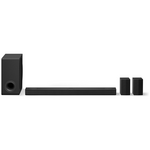
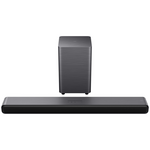
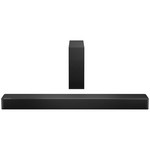
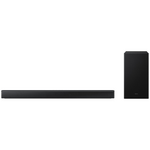
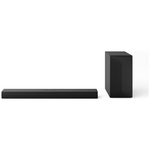
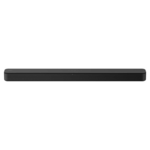
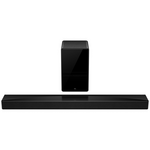
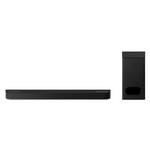
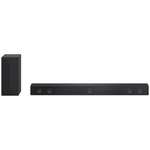
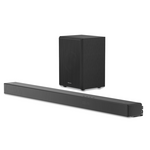
Treat your senses to immersive soundbar audio
![Samsung Q-Series Q990H 11.1.4ch Atmos Soundbar with Subwoofer & Rear Speaker HW-Q990H-XY [2026] hero image](/ak/7/4/8/1/7481fcfc248f8fe378405eb282851c4dc03d3350_HW_Q990H_XY_01-widget.png)
![Samsung Q-series Q800H 5.1.2ch Atmos Soundbar with Subwoofer HW-Q800H-XY [2026] hero image](/ak/0/2/b/b/02bb472810eebe49e36603c8d2b7ed924c7d7f1f_HW_Q800H_XY_01-widget.png)
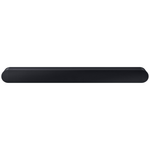
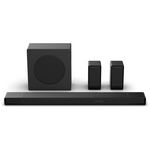
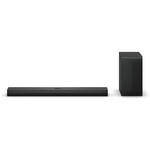
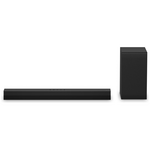
![Samsung Q-Series Q600H 3.1.2ch Atmos Soundbar with Subwoofer HW-Q600H-XY [2026] hero image](/ak/0/8/4/7/08471091f46fe0f754336d82e870f13ab9b3cbc3_HW_Q600H_XY_01-widget.png)
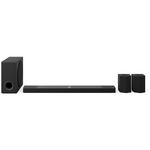

![Samsung Q-series Q930H 9.1.4ch Atmos Soundbar with Subwoofer & Rear Speaker HW-Q930H-XY [2026] hero image](/ak/9/8/4/2/98428df7fecef9f1eaa5e44264dc3936d8bc43e5_HW_Q930H_XY_01-widget.png)



🏆 You’re a Competitive Gamer or Streamer
What you need: A high-performance TV that gives you the edge.
If you play fast-paced shooters, racing games, sports titles or competitive online multiplayer, every millisecond matters. For this type of setup, gaming performance should be at the top of your list.
Every millisecond matters. You didn't boot up the game just to join a lobby - you play to win.
Look for:
120Hz refresh rate as a minimum
144Hz or 165Hz refresh rate if you want even smoother motion
VRR to help reduce tearing and stutter
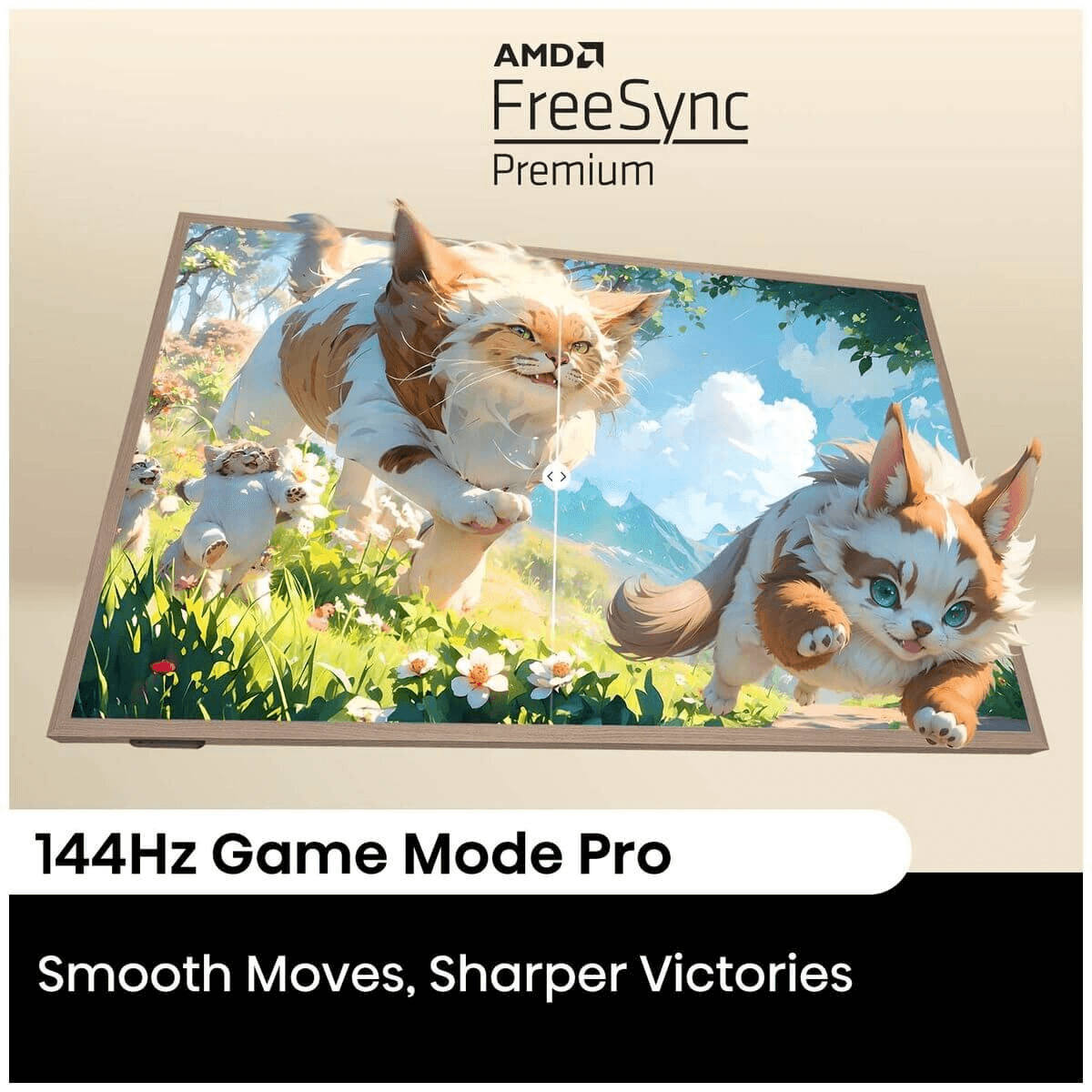
AMD FreeSync Premium or NVIDIA G-Sync support where available
Super low input lag
Game Mode or Game Bar controls for quick setting adjustments
HDMI 2.1 for high-bandwidth console or PC gaming
Strong motion handling for fast camera movement
Great picks: Look for higher-end Mini LED, QD-Mini LED and OLED Gaming TVs with 120Hz, 144Hz or 165Hz refresh rates. Hisense ULED Mini LED, TCL QD-Mini LED and LG OLED or QNED ranges are good examples of the types of TVs to consider when smooth motion and low-lag performance matter most.
Final Tips Before You Buy a Gaming TV
Room size matters. Make sure your TV fits your space comfortably and you've got the perfect viewing distance. If you need help, check out our guide on Finding the perfect TV Size.
Refresh rate matters, but only if you’ll use it. A 120Hz TV is ideal for most console gamers, while 144Hz and 165Hz models are better suited to competitive players or PC gamers who want smoother motion.
HDMI 2.1 is worth looking for. If you’re gaming on a PS5, Xbox Series X or high-end gaming PC, HDMI 2.1 helps unlock features like 4K at 120Hz, VRR and ALLM.
Panel type changes the experience. OLED is fantastic for deep blacks and cinematic gaming, QLED is bright and colourful, and Mini LED or QD-Mini LED can offer a strong balance of brightness, contrast and smooth gaming performance.
Sound matters too. Some Gaming TVs include Dolby Atmos, built-in subwoofers or upgraded speaker systems, but a good soundbar can take the experience even further - especially for racing games, action titles and cinematic RPGs. Obviously if you're a serious gamer, you'd already have a great pair of headphones ready to make callouts.
At the end of the day, a Gaming TV is really just a TV that’s ready for action - and with the right pick, your favourite games will feel better than ever.
Ready to rock and roll? Then check out our range of Gaming TVs today!
Get your TV fast with Free, Next Day Delivery* and Free Connection*!
We deliver our huge range of smart TVs from LG, Samsung, Hisense, TCL and other leading TV brands (and everything else from Blu-ray players to soundbars) to 95% of Australians with Appliances Online's legendary FREE delivery! (Most retailers will charge you extra for TV delivery - not to mention connection - because screens are fragile).
Plus, whether you opt for a cheap screen or a high end OLED TV, we can usually get it to you by the next day (Mon-Fri) if it's in stock. If you need some pointers on getting the best TV for your home, read our TV Buying Guide, call our friendly team 24/7 on 1300 000 500 (they’ve answered a lot of FAQs and are all too happy to help!) or message us via the chat icon at the bottom of your screen.
Gaming TV Frequently Asked Questions
FAQ | Answer |
|---|---|
What makes a TV good for gaming? | A good gaming TV offers low input lag, high refresh rates (ideally 120Hz +), HDMI 2.1 ports for full 4K/120Hz passthrough, and VRR (Variable Refresh Rate) to prevent screen tearing. Features like Game Mode and ALLM (Auto Low Latency Mode) also help reduce latency. OLED and QLED panels offer better contrast and colour, improving visual clarity in fast-paced gameplay. |
What refresh rate should a gaming TV have? | For smooth gameplay, a gaming TV should support at least a 60Hz refresh rate, but 120Hz is ideal - especially for fast-paced genres like shooters and racing games. TVs with 120Hz native refresh rates paired with HDMI 2.1 ensure compatibility with next-gen consoles like the PS5 and Xbox Series X. |
Which HDMI port is best for gaming? | HDMI 2.1 ports are the best for gaming. They support features like 4K at 120Hz, VRR, and ALLM, which enhance performance on consoles like PS5 and Xbox Series X. On many TVs, HDMI 3 or 4 is designated as the high-bandwidth port - check the specs or labels on the TV to confirm. |
What size TV is best for gaming? | The best gaming TV size depends on your setup. For bedroom or desk gaming, 32" to 50" screens offer immersive visuals without overwhelming your space. For lounge or family setups, 55" to 75" and larger is ideal. Competitive gamers should prioritise lower latency and sit closer; casual players may prefer larger screens for shared play. |
Is a TV or monitor better for gaming? | Monitors typically offer lower input lag and faster refresh rates, making them ideal for competitive PC gaming. However, modern gaming TVs with HDMI 2.1 and Game Mode have narrowed the gap. TVs are better for shared couch play, cinematic visuals, and next-gen consoles due to larger screen sizes and enhanced HDR support. |
What does Game Mode do on a TV? | Game Mode on a TV disables post-processing effects to reduce input lag, ensuring faster response between controller input and on-screen action. It’s essential for competitive or reaction-based games. Some TVs also enable VRR and ALLM automatically when Game Mode is activated. |
How to connect a gaming PC or console to your TV? | To connect a gaming PC or console, use a high-speed HDMI cable and plug it into the TV’s HDMI 2.1 port if available. Make sure Game Mode is enabled in the TV’s settings for the lowest input lag. For PCs, set the resolution and refresh rate in the display settings to match the TV’s native capabilities. |
What TV brands are best for gaming? | Top TV brands for gaming include LG (OLED and QNED series), Samsung (Neo QLED and QLED models with Gaming Hub), TCL (QD-Mini LED models), and Hisense (U7 series and Canvas Lifestyle TVs). These brands offer strong gaming features like 120Hz refresh rates, VRR, low input lag, and next-gen compatibility. |
How far should you sit from your gaming TV? | For gaming on a 4K TV, the recommended distance is roughly 1.2 to 1.5 times the screen size. For example, a 55" TV is best viewed from about 1.7 to 2.1 metres away. Sitting closer helps competitive players react faster, while casual gamers may prefer slightly more distance for comfort. |
How to optimise your Samsung or LG TV for gaming? | For Samsung TVs, activate Game Mode and enable the Gaming Hub to reduce latency and access cloud gaming features. On LG TVs, turn on Game Optimiser or use preset gaming profiles. Ensure HDMI ports are set to ‘Enhanced’ mode and enable VRR or G-Sync if your console or PC supports it. |
What is the best TV for PS5 or Xbox Series X gaming? | The best TV for PS5 or Xbox Series X gaming features HDMI 2.1, 120Hz refresh rate, VRR (Variable Refresh Rate), and low input lag. OLED models like the LG C3 and Samsung S90C are top picks due to their near-instant response times and perfect black levels. QLED and Mini-LED models from TCL and Hisense also offer great value and performance for next-gen gaming. |
What size TV is ideal for console gaming? | For console gaming, 55 to 65 inches is the sweet spot for lounge rooms, while 32 to 50 inches is ideal for bedrooms or desks. A larger screen size enhances immersion, but make sure to factor in viewing distance and pixel density, especially if playing in 4K. |
What input lag is acceptable for a gaming TV? | An input lag of under 20 milliseconds is considered excellent for gaming TVs. Competitive players should look for TVs with input lag under 10ms in Game Mode. Manufacturers often publish input lag figures, but third-party reviews provide more accurate real-world testing. |
What is VRR on a TV, and why is it important for gaming? | VRR (Variable Refresh Rate) allows the TV to adjust its refresh rate in real time to match the output of a gaming console or PC. This prevents screen tearing and stuttering, resulting in smoother gameplay - especially in fast-action or open-world games with variable frame rates. |
Which Samsung TV is best for gaming? | Samsung’s Neo QLED models like the QN90C and OLED S90C offer the best gaming performance, thanks to HDMI 2.1, 4K at 120Hz, VRR, low input lag, and support for the Samsung Gaming Hub. These TVs also feature Game Bar, which lets you monitor real-time gaming stats and optimise settings on the fly. |
What is the difference between a gaming monitor and a TV? | Gaming monitors generally have lower input lag, faster response times, and higher refresh rates, making them ideal for esports or competitive gaming. TVs, particularly modern models with HDMI 2.1, have improved significantly and offer a better viewing experience for couch gaming, split-screen multiplayer, and cinematic visuals. |
How do you connect a gaming laptop or PC to a TV? | Use a high-speed HDMI cable to connect your laptop or gaming PC to a TV. If your TV supports HDMI 2.1, use that port to unlock features like 4K at 120Hz. Set the PC's display resolution and refresh rate to match the TV, and enable Game Mode on the TV for minimal input lag. |
What picture settings are best for gaming on a 4K TV? | For optimal gaming performance, enable Game Mode, turn off motion smoothing (e.g. Auto Motion Plus), and set the colour temperature to a neutral value. Brightness and sharpness should be adjusted based on room lighting. On TVs like Hisense and LG, use dedicated gaming presets or calibrate manually using a console’s test screen. |
What is the Samsung Gaming Hub? | Samsung Gaming Hub is a built-in feature on select Samsung TVs that centralises access to cloud gaming platforms like Xbox Cloud Gaming, NVIDIA GeForce NOW, and more. It also optimises TV settings for low latency and lets users connect controllers without a console, turning the TV into a standalone gaming device. |
How many Hz should a gaming TV have? | A gaming TV should have at least 60Hz for casual use, but 120Hz+ is preferred for serious gaming - especially if you're using a PS5, Xbox Series X, or a high-end gaming PC. A 120Hz panel reduces motion blur, supports smoother gameplay, and future-proofs your setup. |
What’s the best type of TV panel for gaming: OLED, QLED, or LED? | OLED TVs offer the best contrast, near-instant response times, and wide viewing angles, making them excellent for immersive gaming. QLEDs offer brighter visuals, which is useful in well-lit rooms, and are less prone to burn-in. Mini-LED TVs strike a balance with deep blacks and high brightness at a lower price point. |
How do you reduce lag when gaming on a TV? | To reduce lag, always enable Game Mode. Use HDMI 2.1 cables and ports for next-gen consoles. Disable any image processing effects like noise reduction, motion smoothing, or dynamic contrast. Ensure your console or PC is set to the correct resolution and refresh rate, and keep firmware up to date. |
What to look for when buying a TV for gaming? | When buying a gaming TV, prioritise low input lag, HDMI 2.1 ports, a native 120Hz refresh rate, and VRR support. Game Mode, ALLM, and HDR10+ or Dolby Vision enhance both performance and visuals. Ensure your console or PC supports the TV’s features, and consider screen size, panel type (OLED, QLED), and response time based on your gaming style. |
Which 4K TV is best for gaming? | The best 4K TVs for gaming in 2025 include the LG C3 OLED, Samsung S90C OLED, Hisense U8N Mini-LED, and TCL QM8 QLED. These models feature HDMI 2.1, 4K@120Hz, VRR, low input lag, and Game Mode presets - making them ideal for both next-gen consoles and high-end PC gaming. |
What is a gaming TV? | A gaming TV is a television designed or optimised for gameplay. It typically includes features like HDMI 2.1, high refresh rates (up to 120Hz), VRR, ALLM, and low input lag. Gaming TVs often include Game Mode or similar settings that reduce latency and enhance performance when connected to a console or gaming PC. |
How do you connect multiple gaming consoles to one TV? | Use an HDMI switch or an AV receiver with multiple HDMI inputs to connect multiple consoles to one TV. Label each input on the TV’s menu for easy switching. Make sure all devices support the same resolution and refresh rates to avoid handshaking or display errors. |
How to stream PC or cloud games to your TV? | To stream PC games to your TV, use Steam Link, NVIDIA GameStream, or cloud gaming apps available on Smart TVs like Xbox Cloud Gaming or GeForce NOW. For direct PC-to-TV streaming, connect via HDMI or cast using devices like Chromecast Ultra or Apple AirPlay. |
How to record your TV screen while gaming? | To record your TV screen while gaming, use a capture card (like Elgato or AVerMedia) connected between your console and TV. Alternatively, some TVs offer built-in screen recording or cloud saving options. Next-gen consoles like the PS5 and Xbox Series X also have built-in gameplay recording features. |
Which TV HDMI port should I use for gaming? | Use the HDMI port labelled as HDMI 2.1 or “Game” on your TV - this port supports 4K at 120Hz, VRR, and ALLM, delivering the best performance. On some models, only one or two ports offer full bandwidth, so check the TV manual or spec sheet before connecting your console. |

With over a decade of hands-on experience with the latest in home appliances, Brad brings a wealth of product knowledge and industry expertise to the table. He also brings a lot of impassioned opinions on shows and movies worth watching, who offers the best coffee in the local area and what kind of tech you absolutely MUST have in your home.
Latest Articles
HOME LIVING+
8 OCTOBER 2026
10 of our best selling indoor bar fridges in Australia 2026
Find the perfect compact drinks fridge for your home
BBQ & OUTDOOR
1 OCTOBER 2026
5 of our top best selling outdoor bar fridges in Australia 2026
Alfresco fridges to keep your drinks icy cold this summer.
BBQ & OUTDOOR
25 SEPTEMBER 2026
Indoor vs outdoor bar fridges
Important differences to know about
ECO & SAVE
21 SEPTEMBER 2026
How to choose more eco-friendly appliances for your home
There’s more to it than just energy efficiency
More Like This
HOME LIVING+
8 OCTOBER 2026
10 of our best selling indoor bar fridges in Australia 2026
Find the perfect compact drinks fridge for your home
BBQ & OUTDOOR
1 OCTOBER 2026
5 of our top best selling outdoor bar fridges in Australia 2026
Alfresco fridges to keep your drinks icy cold this summer.
BBQ & OUTDOOR
25 SEPTEMBER 2026
Indoor vs outdoor bar fridges
Important differences to know about