
Your Cart
Your shopping cart is currently empty.
Kitchen
All things cooking, cleaning, chilling and more for the hard-working heart of your home.
KITCHEN | 29 JUNE, 2026
5 MIN READ
Getting started with your Zip HydroTap
Make the most of your aqua upgrade
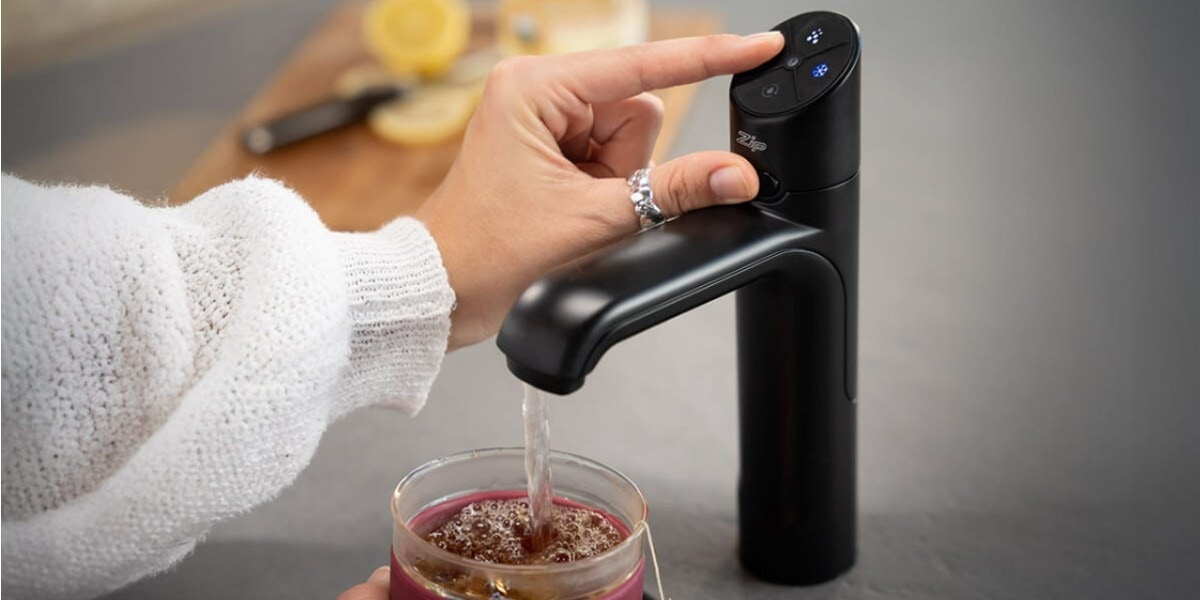
Whether it's an instant cup of tea, boiling water for pasta or sparkling water with dinner, a new Zip HydroTap can make life a whole lot simpler and more enjoyable.
It's one of those rare kitchen upgrades that genuinely changes your daily routine - and once you've used it, it's hard to imagine going back to filling water filter jugs or waiting for kettles to boil.
Here's how to get the most out of your new Zip HydroTap from day one.
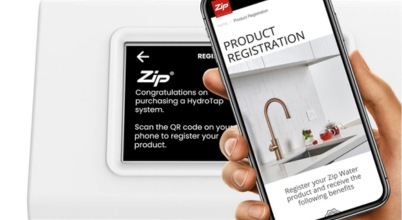
1. Register your HydroTap
Before anything else, take a moment to register your HydroTap at zipwater.com. It gives you access to support, expert advice and exclusive offers, and ensures your warranty is properly recorded.
Registration ensures your warranty details are recorded and gives you access to Zip Water support and service information. It takes just a couple of minutes and is well worth doing.
2. Get familiar with the safety features
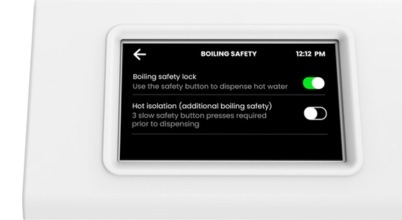
Prior to using your HydroTap, read the safety instructions carefully. The safety lock is an important feature - especially if you have young children at home. It is enabled by default on boiling water functions and can be configured through the safety settings menu, depending on the model.
To dispense boiling water, you must first press or double tap the safety button, depending on the model.
3. Get to know your command centre
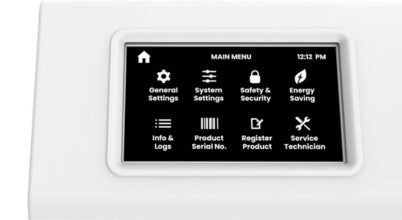
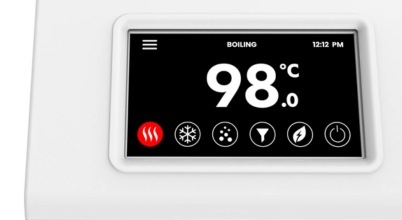
Your HydroTap's touch screen command centre is your control hub. The screen automatically enters standby when not in use and reactivates when touched. From the main menu you can access all key settings, including general, system, safety and security, and energy saving mode.
Zip units are set to English language settings by default, but if you need to change it to an alternative preferred language, just navigate to general settings, touch the language icon, and select your language and preferred units (metric or imperial).
4. Customise your settings
The command centre lets you fine-tune your HydroTap to suit your household:
- Temperature: adjust the boiling set point (default 98°C, adjustable between 68-100°C) and chilled water set point to suit your preferences. On start-up, the HydroTap performs boiling calibration automatically, though you can also recalibrate manually via the system settings menu. Note that hot steam may vent from the tap spout during calibration.
- Dispense times: set the bottle fill dispense time for each water type, between 5 and 15 seconds.
- Energy saving mode: configure sleep mode to activate when it gets dark, after two hours of non-use, or both. You can also set an on/off timer by day or range of days to suit your routine.
5. Understand the filter and CO2
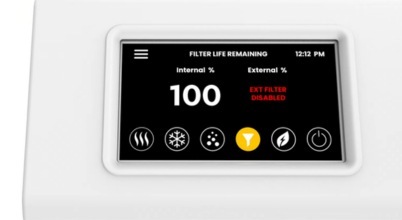
Your HydroTap is a water filter system as much as it is a tap. The internal filter cartridge should be replaced every 12 months or 4,000 litres for residential use - whichever comes first - or sooner if you notice any change in taste or odour. During initial installation, and after replacing a filter cartridge, always run a filter flush via the system settings menu: this is an automatic two-minute process that flushes approximately 10 litres of water through the filter. Remember to reset the filter counter afterwards.
For sparkling models, the command centre will display a warning when your CO2 cylinder reaches approximately 20% remaining, giving you time to prepare a replacement. After fitting a new cylinder, purge the gas lines via the CO2 settings menu and reset the CO2 counter - don’t worry, it’s easier than it sounds! Genuine Zip Water filter cartridges and CO2 cylinders are available from Appliances Online, with free delivery.
6. Keep up with simple maintenance
A few simple processes will keep your HydroTap performing at its best. Clean the air inlet filter that sits beneath the sink by removing it quarterly, rinsing with tap water and drying gently - and always have at least 50mm of clear space in front of the air inlet.
Clean the tap, command centre and accessories with a gentle cleaning agent or damp cloth, wiping dry immediately. Never use strong, abrasive or spray cleaners.
Need some assistance?
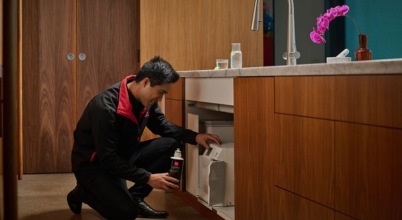
If you’d rather leave these standard maintenance processes to the professionals, Zip's national network of mobile technicians and customer service team are available to help with everything from a quick query to a full service. Visit zipwater.com or refer to your user guide for contact details.
Settings and service functions beyond standard user maintenance are accessible to qualified Zip service technicians only.
Your HydroTap is built to last and designed to impress: with a little regular care, you’ll have many years of effortless, great-tasting water ahead.

Oli is Appliances Online's editor and blogger, with almost two decades of lifestyle-related writing and editing to his name. With a mission to help you buy better and live smarter, his brand loyalty will forever belong to the appliance manufacturer that develops a self-emptying dishwasher.
Latest Articles
ECO & SAVE
21 SEPTEMBER 2026
How to choose more eco-friendly appliances for your home
There’s more to it than just energy efficiency
HEATING, COOLING & AIR TREATMENT
16 SEPTEMBER 2026
5 of our most popular ceiling fans in Australia 2026
Keeping cool for less is a breeze.
HEATING, COOLING & AIR TREATMENT
14 SEPTEMBER 2026
6 of our most popular split system air conditioners in Australia 2026
Find the ideal reverse cycle air con for your home.
LAUNDRY
9 SEPTEMBER 2026
How do sensor dryers work?
Moisture sensors take the guesswork out of drying laundry
More Like This
ECO & SAVE
21 SEPTEMBER 2026
How to choose more eco-friendly appliances for your home
There’s more to it than just energy efficiency
HEATING, COOLING & AIR TREATMENT
16 SEPTEMBER 2026
5 of our most popular ceiling fans in Australia 2026
Keeping cool for less is a breeze.
HEATING, COOLING & AIR TREATMENT
14 SEPTEMBER 2026
6 of our most popular split system air conditioners in Australia 2026
Find the ideal reverse cycle air con for your home.
