
Your Cart
Your shopping cart is currently empty.
TV, Audio & Electronics
From movies and music to streaming and gaming, let's talk TV, tech and home entertainment!
TV, AUDIO & ELECTRONICS | 14 OCTOBER, 2025
6 MIN READ
What does The Frame TV’s Art Mode do at night?
How Samsung’s TV keeps calm in the bedroom…
At night, Samsung’s The Frame TV automatically dims or turns off its display, so it won’t glow or stay lit while you sleep. Using built-in motion and ambient light sensors, it detects when the room is dark or empty and powers down Art Mode, leaving your wall free of any light - just like a real artwork.
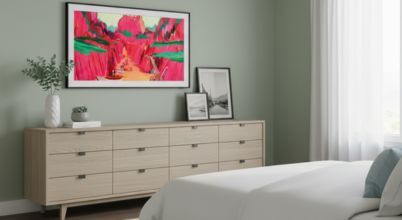
The Frame Pro by Samsung makes for a non-intrusive bedroom TV
If you’ve seen Samsung’s The Frame TV in person, you’ll know how convincingly it passes for a real piece of art. With its customisable bezel, flush no-gap wall mount and QLED or NeoQLED panel that displays digital art in lifelike colour, it’s become a favourite for interior-savvy people who’d rather not have a black rectangle dominating their living room or bedroom wall. But what happens when the lights go out - does it keep a low glow, or does it switch off automatically? There are actually a couple of key variations - and you can adjust how they work.
Let’s look at how The Frame TV behaves in low light, what its motion sensor and light sensor do, and whether it’s suitable for a bedroom.
Art Mode and what happens when it’s dark
The Frame’s standout feature is its Art Mode. When you’re not using it as a regular TV for watching Netflix or gaming, it can display art - either from the Samsung Art Store or your own photos. This transforms the TV screen into a lifelike work of art that blends seamlessly with your home décor.
When the lights dim, Art Mode doesn’t keep running indefinitely. The TV uses both a motion sensor and an ambient light sensor to decide what to do.
The motion sensor detects when someone is in the room. If it doesn’t sense movement after a while, it turns the display off to save power.
The light sensor measures brightness and automatically adjusts the screen so the image always looks natural - dim in low light and bright in daylight.
So, if you had The Frame mounted on a wall opposite a bed, the screen, in Art Mode, would dim as the sun sets and fade to black when the room is still or dark. It won’t stay illuminated all night, and it certainly won’t act as a glowing screensaver while you’re trying to sleep.
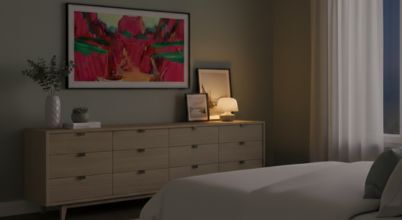
The Frame TV's light sensor automatically dims the screen when set to Art Mode
Night mode and sleep-friendly settings
If you want more control over how your Frame TV behaves in the dark, you can adjust settings using the SmartThings app. There’s a Night Mode option that lets you choose how long Art Mode stays active before turning off, or have it go dark automatically when ambient light drops below a certain level.
You might like to keep a low-light digital art piece visible until bedtime, or you may be happy for the sensors to handle it - when the lights go out, the screen goes black.
Keep it calm at night with The Frame

![Samsung 75 Inch The Frame Pro NeoQLED 4K MiniLED TV QA75LS03FWWXXY [2025] hero image](/ak/0/0/6/0/0060f2381ae42dc1eae6c34c81cc473b43f7ebcb_65_85_LS03F_Product_Image_15-widget.png)
![Samsung 55 Inch The Frame QLED 4K Smart TV QA55LS03FAWXXY [2025] hero image](/ak/3/4/d/6/34d67eb0164308d7fc1d81239d27e9d866611675_43_55_LS03F_Product_Image_14-widget.png)
Movement in the bedroom at night
But what if you get up for a midnight tiptoe to the bathroom? You don’t want the screen suddenly lighting up in a dark bedroom. Thankfully, the Night Mode feature lets you keep Art Mode inactive between times of your choosing, via the SmartThings app. Alternatively, you can manually turn off the display before going to sleep. You can also adjust the motion sensor sensitivity and ambient light thresholds so small movements in a dark room don’t trigger the artwork to turn back on.
Falling asleep while watching
The motion and light sensors only manage Art Mode, so during regular TV viewing, the TV assumes it’s in use. So, if you happen to nod off while watching The Frame, the screen won’t automatically dim or turn off like it does in Art Mode.
To avoid leaving the screen on all night, you can use the sleep timer feature to schedule an automatic shut-off after 15, 30, or 60 minutes. Some apps pause playback after certain durations of inactivity, but for full power-down, the sleep timer is the most reliable option.
What makes The Frame different from a regular TV?
When you’re not watching The Frame, it truly blends into its surroundings - no flashing lights or glow at nightime. But Art Mode in standby isn’t the only thing that elevates it above regular screens.
Behind the scenes (or at least discreetly out of sight via one thin, clear cable), the One Connect Box holds all the HDMI ports and power connections, keeping cables out of sight. Combined with the no-gap wall mount, it helps create the art gallery look - more picture frame than TV screen.
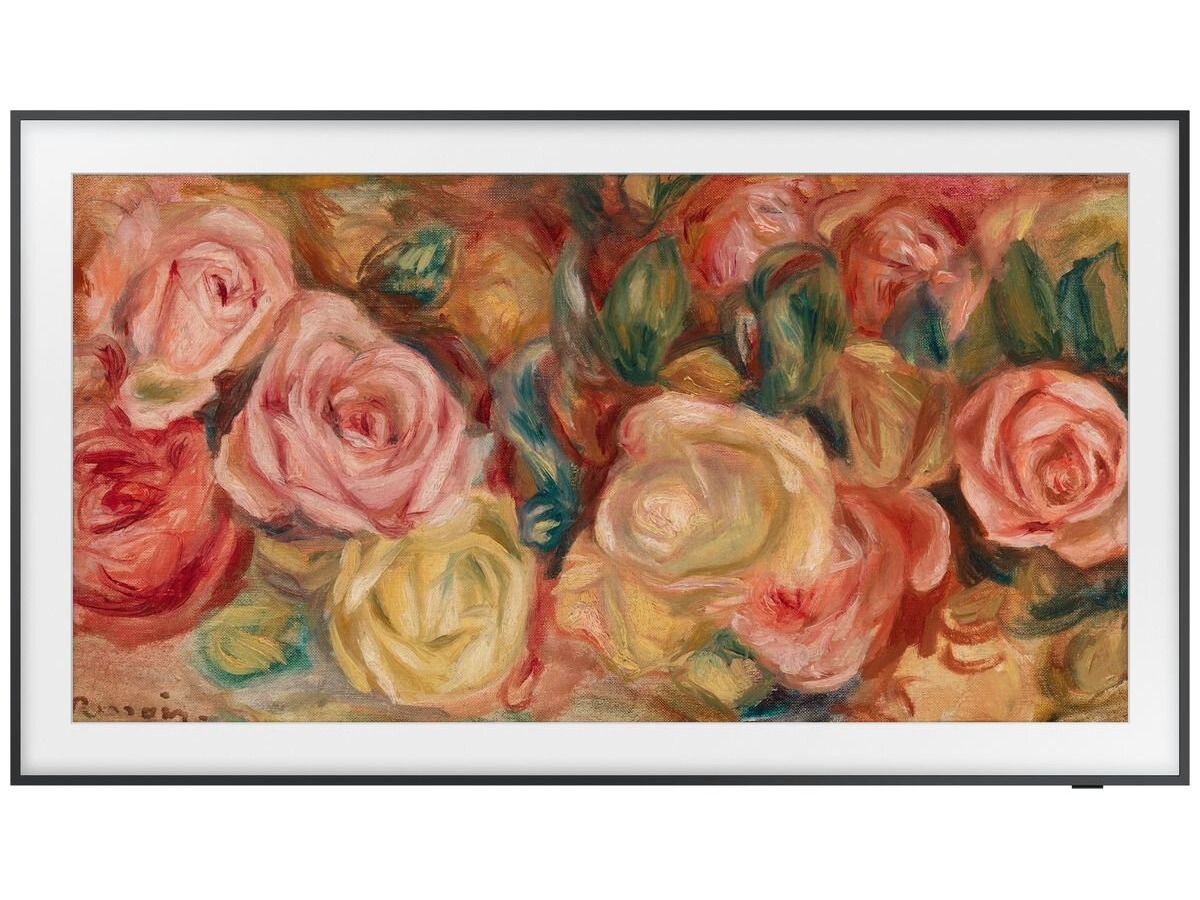
What you see in Art Mode
The picture quality in The Frame’s Art Mode is surprisingly realistic. Using 8 million pixels and QLED technology in combination with an anti-reflection matte screen, it renders fine detail and true-to-life colour, even at low brightness. The Samsung Art Store (a subscription service) includes thousands of high-quality images from famous galleries and photographers, and you don’t want tp pay for those you can DIY it and upload your own photos or art files.
Is The Frame TV worth it for bedrooms?
For most people, the appeal of Samsung’s Frame TV lies in the balance of picture quality and design. In bright spaces, it replaces the stark look of a blank screen with the art look of stylish home decor. And at night, it quietly fades into the background - no glow, no fuss - making it the ideal choice if you’re looking for a TV that won’t disrupt the serenity of your bedroom.
Get The Frame TV sooner with Free, Next Day Delivery* and Free Connection*!
We deliver The Frame (QLED), The Frame Pro (NeoQLED MiniLED), and the rest of our huge range of smart TVs from Samsung, Sony, LG, Hisense, TCL and other leading brands to 95% of Australians with Appliances Online's legendary FREE delivery! We’ll also unbox and connect it for you, for free (though wall mounting it is an additional paid service you can choose). Most retailers will charge you extra for TV delivery - not to mention connection - because screens are fragile.
Plus, we can usually get it to you by the next day (Mon-Fri) if it's in stock. If you need some pointers on getting the best TV for your home, read our TV Buying Guide, call our friendly team 24/7 on 1300 000 500 (they’ve answered a lot of questions on everything from warranties to picture quality) or message us via the chat icon at the bottom of your screen.

Oli is Appliances Online's editor and blogger, with almost two decades of lifestyle-related writing and editing to his name. With a mission to help you buy better and live smarter, his brand loyalty will forever belong to the appliance manufacturer that develops a self-emptying dishwasher.
Latest Articles
KITCHEN
18 MARCH 2026
How to get the most from your oven
Handy settings and other simple tips
KITCHEN
10 MARCH 2026
4 reasons you should never plug your fridge into an extension cord or power board
Fridges run 24/7, so give them their own wall socket!

BLOG HOME
9 MARCH 2026
True South: A race to remember
Legacy and spirit in the Sydney to Hobart yacht race
KITCHEN
5 MARCH 2026
5 of our top best selling slow cookers in Australia 2025-26
Make Autumn easy with one-pot, slow-cooked meals.
More Like This
KITCHEN
18 MARCH 2026
How to get the most from your oven
Handy settings and other simple tips
KITCHEN
10 MARCH 2026
4 reasons you should never plug your fridge into an extension cord or power board
Fridges run 24/7, so give them their own wall socket!
BLOG HOME
9 MARCH 2026
True South: A race to remember
Legacy and spirit in the Sydney to Hobart yacht race