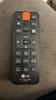
• LG LAS450H 2.1ch Sound Bar

    LG 3.1.3 Ch Soundbar with Wireless Subwoofer SC9S hero image
    LG 3.1.3 Ch Soundbar with Wireless Subwoofer SC9S
    4.4 from 150 reviews
    • Specifications & manuals
    • Reviews
    • Legendary service
    • Delivery, services & returns
    • Questions & answers

    Specifications & manuals

    key Specifications
    Brand
    LG
    Finish Colour
    Black
    Height (mm)
    55 mm
    Width (mm)
    890 mm
    Depth (mm)
    89 mm
    Model Number
    LAS450H
    warranty
    Manufacturer Warranty
    1 Year
    audio
    Subwoofer Power
    100
    connectivity
    Bluetooth
    inputs
    Digital Optical Audio In
    HDMI Ports (IN)
    1
    HDMI-ARC
    outputs
    HDMI Ports (OUT)
    1
    audio Formats Supported
    Dolby Digital

    Reviews

    Rating snapshot

    5
    5
    4
    4
    3
    0
    2
    0
    1
    4

    Average customer rating

    Overall
    3.5

    Appliances Online's customer reviews are independently managed by Bazaarvoice, ensuring their accuracy and honesty. Vouchers are sometimes offered to verified buyers in exchange for their unbiased review.

    Learn more about Bazaarvoice Authentic Reviews Trust Mark
    1-3 of 13 reviews
    James Owen2025-04-06
    Great for apartment.
    I think it sounds really good. I had a much better one but my neighbor complained about it. This one sounds great without shaking the floor. I would highly recommend it.
    Wammie2018-05-21
    Simple to setup
    [This review was collected as part of a promotion.] I've had my sound bar for a couple of weeks and it really makes a difference with the experience of watching movies. It fits in seamlessly with the overall configuration of the tv, it's hardly noticeable. Definitely would recommend for a purchase, it's so simple to setup and use.
    Anonymous2022-01-15
    Stopped working suddenly
    [This review was collected as part of a promotion.] I have had this for a while and suddenly it does not get power to the soundbar.

    Legendary service

    The Appliances Online Net Promoter Score (NPS) is based on feedback from 89,897 people, collected between August 2024 to August 2025. Learn more about the Net Promoter Score (NPS).
    How extremely impressed I am with your staff
    Kwirim,
    Excellent service, great price and on time delivery
    Garry,
    Love the site, products & prices
    Natasha, Kooralbyn, QLD

    Delivery, services & returns

    Appliances Online is all about legendary service. We offer free next business day delivery, free connection, free removal and free recycling, and we even offer Saturday delivery and, in some locations, a Premium Delivery option that allows you to choose your own 2-hour delivery window.

    Questions & answers

    My lg sound bar wont connect to any previously connected and paired bluetooth devices how do i fix this? NatG · 2017-12-09
    It sounds like we'll need to walk through some troubleshooting for your soundbar. Please head over to our support team via @LGUSSupport on Twitter so that we can dig into this a little more for you. ^CP Chris W, Appliances Online
    How do I get my soundbar out of demo mode jeogle · 2017-05-06
    We appreciate your interest in this Audio System. It is recommended to check the SETTINGS menu in order to re-initialize the system, where the speakers can be set to the HOME USE mode. Neil E, Appliances Online
    MY subwoofer just keeps on flashing green witg no sound.. I have reset and disconnected 3times but still no luck what do i do now? Jobe · 2017-05-06
    Our offices, in the United States, do not have product information for South Africa. In order to obtain such information, it is recommended to check our subsidiary’s website, at http://www.lg.com/za/support/contact/support-here-to-help.jsp. Neil E, Appliances Online
    How do I get my sub to connect iv went threw the steps on here and it still just flashes the green light and I don't have a remote to reset Toolman128 · 2017-04-11
    When your connection is not completed, you can see the red LED or the blinking yellow-green LED on the wireless subwoofer and it does not make sound. To solve the problem, follow these steps: Adjust the volume level of the main system to minimum. ”VOL MIN” appears on the display window. Press and hold MUTE on the remote control for about 3 seconds. “WL RESET” appears on the display window briefly and Red LED on the main unit is blinking. If the LED of the wireless subwoofer already blinks in yellow-green continually, you can skip this step. Press and hold PAIRING on the back of the wireless subwoofer for more than 5 seconds. The LED of the wireless subwoofer lights up alternately in red and yellow-green. Disconnect the power cord of the main unit and the wireless subwoofer. Connect them again after the LED of the main unit and the wireless subwoofer is fully inactive. The main unit and the wireless subwoofer will be paired automatically when you turn on the main unit. When the connection is completed, you can see the yellow-green LED on the subwoofer. If no remote control is available, then a replacement must be obtained. Parts and accessories can be obtained through our parts distributor, MCM Electronics. Their contact number, for placing orders, is 800-824-9491. You can also use their website, at http://www.mcmelectronics.com/content/en-US/forms/lg_parts. The part number for this item is: AKB74435311. Neil E, Appliances Online
    I agree to the terms & conditions
    We're here to help 24/7 - for an immediate answer to your question, chat with one of our Live Chat agents below or call us on 1300 000 500 .