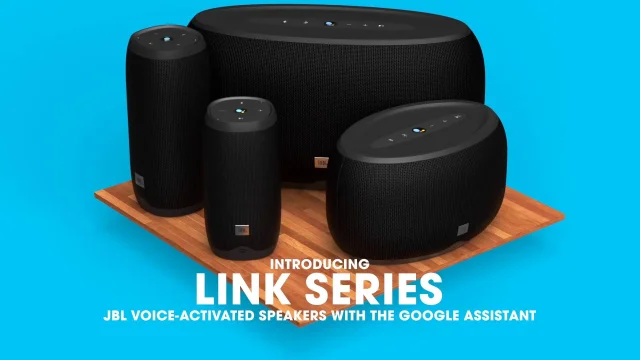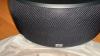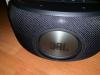
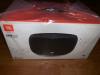
• JBL JBLLINK300BLKAU Link 300 Wireless Smart Speaker With Google Assistant Black

    Marshall Acton II Wireless Bluetooth Speaker White 155687 hero image
    Marshall Acton II Wireless Bluetooth Speaker White 155687
    5.0 from 1 review
    • Overview
    • Specifications & manuals
    • Reviews
    • Legendary service
    • Delivery, services & returns
    • Questions & answers

    Overview

    Video Thumbnail
    1:03
    With built-in Google Assistant, this JBL Link 500 is more than just a way to listen to high-quality audio. Google Assistant places the power of Google at your disposal, for whatever you may need at any given time, but that is only the tip of the iceberg for this JBL’s wireless capabilities. Enjoy dynamic stereo sound with a pair of high-performance JBL transducers, filling a larger space with bright, clear highs and rumbling lows.

    Chromecast allows you to stream any kind of audio you wish, wirelessly right to the speaker, which you will hear in astounding detail, courtesy of Cloud technology. Enjoy multi-room audio playback across speakers with Chromecast built-in, for a house-wide chorus of sound. And of course, with Bluetooth connectivity, you can connect and play audio from any device with a Bluetooth connection.

    Chromecast Built-In

    Never again drain your battery streaming your music through Bluetooth. The inbuilt Chromecast in this unit is designed to connect directly with your favourite music provider, e.g. Spotify, Pandora, so that you can easily play your favourite tracks while freeing up your smart devices.
    Google Assistant

    Engage your Google Assistant directly through your headphones. Effortlessly control your device without having to take out your phone. Only take it out when something real good has come through, like a coupon for free pizza.
    Bluetooth Connectivity

    Wires are out, wireless is in. The simple Bluetooth connectivity in this unit makes it easy to enjoy your favourite music wirelessly.

    Specifications & manuals

    key Specifications
    Brand
    JBL
    Finish Colour
    Black
    Height (mm)
    134 mm
    Width (mm)
    236 mm
    Depth (mm)
    154 mm
    Model Number
    JBLLINK300BLKAU
    Weight (kg)
    1.7 kg
    Accessories included
    Power Adaptor and Power Cable
    warranty
    Manufacturer Warranty
    1 Year
    Use
    Not intended or designed for commercial use.
    audio
    Frequency Response Range
    55 - 22,000
    Front Channel Output
    2 x 25
    Total Power
    50
    playback
    Hi-Res Audio
    smart Home Compatibility
    Chromecast
    smart Features
    Android App
    iOS App
    Network File Sharing
    connectivity
    Bluetooth
    Bluetooth Version
    4.2
    Other Streaming Apps
    Google Play Music and Pandora
    Spotify Connect
    WiFi
    additional Dimensions
    Package Dimensions (H x W x D)
    180 x 325 x 192
    Package Weight (kg)
    2.54
    other Features
    Year
    2018

    Reviews

    Rating snapshot

    5
    31
    4
    15
    3
    6
    2
    2
    1
    8

    Average customer rating

    Overall
    4.0

    Appliances Online's customer reviews are independently managed by Bazaarvoice, ensuring their accuracy and honesty. Vouchers are sometimes offered to verified buyers in exchange for their unbiased review.

    Learn more about Bazaarvoice Authentic Reviews Trust Mark
    Pros
    Cons
    1-3 of 62 reviews
    Jcuevas2019-04-18
    Great Speaker!!
    [This review was collected as part of a promotion.] I have to admit, this is my first speaker with google assistance. I have other speakers which have Alexa built in so I had to read up on this Tech. To start this speaker was packaged beautifully. It had plenty of protection within the box it came in. It has a fairly large power transformer for such a small speaker. The speaker stands roughly about 4" high and about 7" wide. The power is plugged into the bottom of the device. There is no power button to this speaker. There is volume on the top, bluetooth button, google assistant button and mic on and off button. Upon plugging it in, it basically gives you verbal cues in order to get it setup. I was prompted to first download the Google Home app. I did this via my iPhone. From there you setup the wifi. The speaker always stays connected to the wifi and the internet. From this step I was asked a series of questions. One of which was where this speaker would be located. I chose to set it up in my bedroom. It is best to have a google account prior to installing everything to make the process move a bit faster. The app allows you to stream music to the speaker via wifi. You can stream spotify, youtube music, Pandora, Tune in, I-Heart radio, musixmatch, Napster music player, and 7 digital music. I had a Pandora account so I tried it with this app. My first impression was that the sound quality was amazing. Such a full sound from such a small speaker. Very clear sound. The sound was very balanced. Not to much of any frequency. Bass was plentiful and clear, not overbearing. The same for the midrange and high frequencies. I then tried youtube music. It stated I needed to pay for an upgraded account in order to link this speaker. That was a bummer!! I then tried to play my music in my phone. I couldn't link it via the internet but I could stream it via bluetooth. To me this was another setback. That means I can't link multiple speakers to hear my music on iTunes music. When streaming via the internet, you can adjust the volume using your phones volume button but there is a delay. I have to say it again. Sound quality is great!! I really enjoy listening to this speaker. I have larger speakers from other manufacturers which are considerably larger. This little speaker sounds like it is allot bigger. I will say I enjoy this speaker over the other larger speakers I own. It simply delivers a fuller sound. The rear facing subwoofer has some considerable excursion!! It stays linear as its moving and doesn't distort when turned up. JBL states the power output is 25+25 watts. Im guessing that means the power is divided between the two speakers, the rear and the front speaker. Crossover points of the speakers are on point. I don't think there are two speakers in the front. I think there is only one full range speaker in the front and a subwoofer in the rear. The google assistant is very cool and very accurate. My Alexa has a delay. Same with Siri. Its like google doesn't have to think. I like how accurate and quick it is. I have not hooked the speaker to any devices in my home yet so I can't say much about how it responds to commands to control other devices. Basically this is a very cool and great sounding speaker. I can talk to it using moderate volume even when 15 feet away. It doesn't ask me questions or think Im talking to it when Im not like my other devices. I am truly enjoying this speaker and will be purchasing a few to put around my home.
    Davidb7752017-11-19
    AMAZING product overall
    [This review was collected as part of a promotion.] Not only the sound quality is amazing, but the volume will really light up a party. And now JBL has added the google programming in the speaker which makes the speaker honestly perfect.
    jfii2021-09-27
    Great speaker how to update
    I purchased 3 of the JBL Link 300 2 came with firmware 1259 and 1 with 1690. The 1259 was missing many features and no matter what i did i could not update. The one with 1690 had all features including making calls. Now suddenly the one with 1690 stopped allowing calls saying it was unsupported. How do i get calls working again. My Link 20 with 1690 firmware has always made calls and still does and my HK 100 please help.

    Legendary service

    The Appliances Online Net Promoter Score (NPS) is based on feedback from 89,897 people, collected between August 2024 to August 2025. Learn more about the Net Promoter Score (NPS).
    I will certainly purchase all my other appliances from you in the future
    Sarah,
    It was seamless and hassle-free
    Tania, St. Kilda West, VIC
    Prompt delivery of my products and efficient customer service
    Martin,

    Delivery, services & returns

    Appliances Online is all about legendary service. We offer free next business day delivery, free connection, free removal and free recycling, and we even offer Saturday delivery and, in some locations, a Premium Delivery option that allows you to choose your own 2-hour delivery window.

    Questions & answers

    I tried connecting to use as outside speaker, using Google Home. Before Google Home just used Google it was way easier. Now I ca not get it to p,ay thru the speaker, just my phone. Isiah they had left well enough alone Barb54 · 2023-06-28
    Thanks for bringing this to our attention. It is required for your JBL Link 300 to be set up via the Google Home App with your source device before you could use other features such as Voice Assistant and Bluetooth. Please note that for the setup, this speaker is required to be connected to a stable WIFI signal. If you have any concerns about your device, feel free to contact our customer support for futher assitance. jbl-Edurado-Granada, Appliances Online
    Thank you for bringing this to our attention. We'd like to work with you directly to address the issues you're experiencing with your JBL Link 300. If needed, we'd also like to get more information so we can check your options. Please contact our customer support service via our official website or toll-free hotline. jbl-Edurado-Granada, Appliances Online
    My power cable was bitten up by my dog, is there a way I can purchase another? yasminee1 · 2023-02-13
    Thanks for reaching out. For replacement part orders for the power cable of your JBL Link 300, you can call our JBL Customer Support team. The part number is EWP1180097F20 - $9.52 (without shipping and tax) jbl-Edurado-Granada, Appliances Online
    please since I got back to Nigeria my JBL link 300 isn't working it only shows a constant wifi light when on and does not come up on my Google home. it's so complicated please help a fellow, its almost frustrating Dladipo2503 · 2021-04-15
    We're sorry to hear about what happened. Please try to log out from your Google account and before you log back in, try to uninstall and reinstall the app from the source device ex. (phone, tablet). You can also reset the speaker if this can help fix the problem: 1. Turn over your speaker, so you will see the bottom of it. 2. Short press the "Reset" button (the wording of the button will be changed to Restart). 3.The speaker will not shut down and boot up again. 4. This will NOT delete any settings or information for your JBL LINK 300 or LINK 500. If the problem persists, please contact our distributor for Nigeria, Harman House for assistance: Email: info@harmanme.com Leon, Customer Service, Appliances Online
    Can't JBL Link 300 with Google Assistant. I get "Can't communicate with your JBL Link 300" thearete · 2021-02-16
    Thank you for your question. As there could be different causes for your problem, as well as solutions, we would ask you to contact us directly at the following address: https://support.jbl.com/de/de/customer-service/contact.html Kind regards Jan at Customer Service, Appliances Online
    I agree to the terms & conditions
    We're here to help 24/7 - for an immediate answer to your question, chat with one of our Live Chat agents below or call us on 1300 000 500 .